

Settlement around Preeceville goes back to the fur traders who came to the upper Assiniboine region after explorer David Thompson mapped the area in 1796. Ranchers later followed the trails left by those traders and by Indigenous peoples, and they became the area's earliest settlers.
Add Preeceville to your home screenIt opens like an app, full screen, and can send you weather warnings.
Add
Events
CalendarNothing on Preeceville’s calendar yet.
Live in Preeceville? Sign in to post events.
Buy and sell
See allNothing for sale nearby yet. Things to sell, give away or find in Preeceville and the towns around it go here.
Weather in Preeceville
3°
Cloudy
Wind W 15 km/h, gusts 32 · Humidity 81%
- Today 3°-2°
- Fri 3°-2°
- Sat 7°0°
- Sun 8°2°
- Mon 9°-2°
- Tue 10°-2°
- Wed 6°
Today: Mainly cloudy. 30 percent chance of flurries near noon. High plus 3. UV index 1 or low.
Normal for today: high 3°, low -6°
- 9 h 50 min of daylight, 3 min 45 s shorter than yesterday · sunrise 7:39 a.m., sunset 5:29 p.m.
- Frost likely tonight, low -2°
- Waning gibbous · the Beaver Moon is full Nov 24
No weather alerts or drinking water advisories right now.
Forecast for the Canora area, 40 km away, observed at Yorkton Airport at 2:00 p.m. Forecast and alerts from Environment and Climate Change Canada; water advisories from the Water Security Agency and the Saskatchewan Health Authority, checked at 2:28 p.m..
Stay in the loop
No account needed. Every email has a one-tap unsubscribe. Community updates come from Prairie Town, not the municipal office.
Weather warnings and public advisories pop up on this device, even when the page is closed.
On an iPhone, first, then turn on notifications from there.
Garbage and recycling
Add themThe pickup days aren’t here yet. The town office or a verified local can add them, from the town’s calendar, and then anyone can get a reminder the night before.
Town office
Council- Phone
- 306-547-2810
- Website
- townofpreeceville.ca
- Office
- 239 Highway Avenue East
Preeceville SK S0A 3B0 - Box 560
Preeceville SK S0A 3B0
Preeceville’s history
Collection

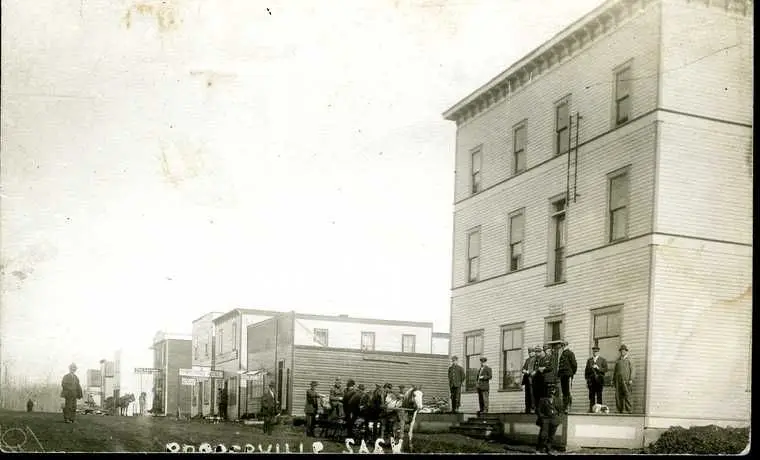

More photos of Preeceville, from public archives
Share a photo of Preeceville, old or new.
Nearby
MapPreeceville’s circle reaches 40 km. Events and buy and sell from these places show here too.
Work at the Preeceville town office? Sign in free to post official notices here, sent to residents by email and to their phones.